
What this page is
This page explains how Inbox Prestige runs work day-to-day.
(What we cover is listed on the Services page.)
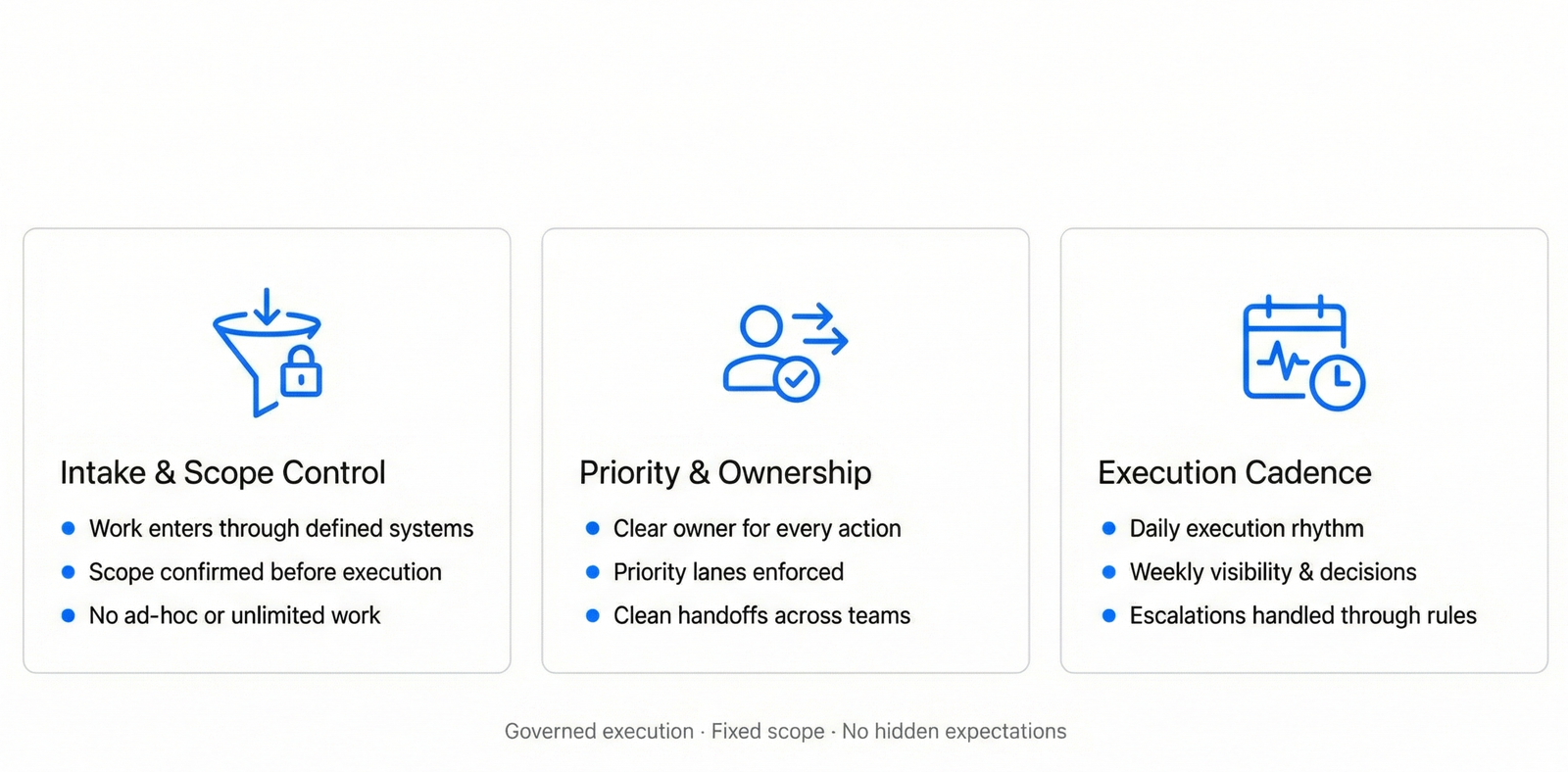
The Operating Engine
Intake & Scope Control
- Only in-scope work enters the system
- Tools, channels, and volume are pre-defined
- No ad-hoc or unlimited requests
Why this matters:
Prevents overload, protects quality.
Priority & Ownership
- Every item is categorized by priority
- Each item has a single owner until closure
- Nothing sits “pending” without accountability
Why this matters:
No dropped follow-ups. No confusion.
Daily Execution Loop
Work runs through the same loop every day:
Intake → Prioritize → Assign → Progress → Escalate → Close
Why this matters:
Consistency, even when volume spikes.
Escalations & Decisions
- Exceptions are flagged early
- Context + recommended next step is provided
- Final decisions always stay with you
Why this matters:
You stay in control without micromanaging.
Controls & Quality
- Approved standards and workflows
- QA checks where included
- Changes go through review and are logged
Why this matters:
Quality doesn’t change when people change.
Weekly Visibility
You receive one weekly update in a fixed format:
- Completed
- Open
- Risks / blockers
- Approvals needed
- Next-week priorities
Why this matters:
No status chasing. Clear decisions.
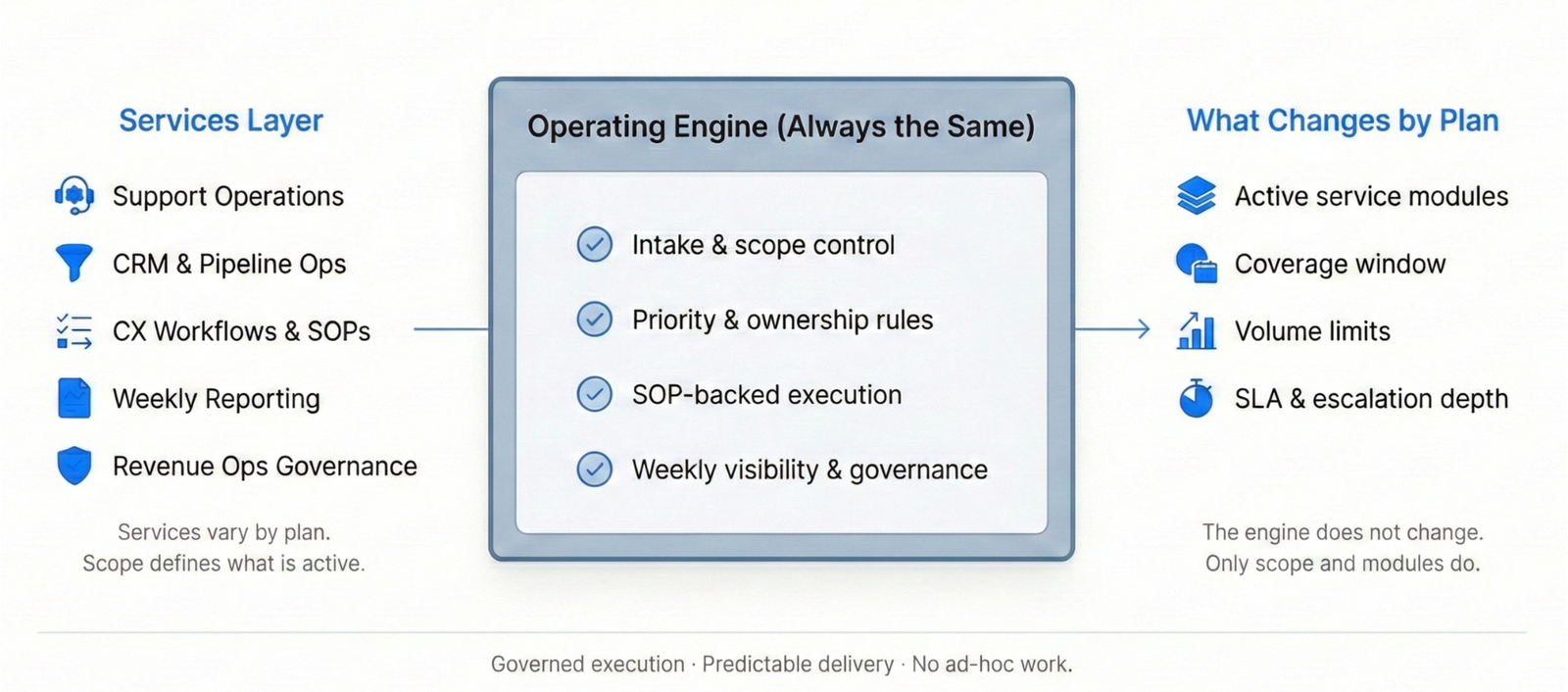
How Services plug into Operations
Your selected services (Support Ops, CRM Ops, Reporting, etc.)
run inside this same operating engine.
The engine stays the same.
Only scope and modules change by plan.
What You Get Every Week
- Completed work
- Open items
- Risks / blockers
- Approvals needed
- Next-week priorities
If something falls outside scope, it’s flagged with a recommendation: add-on, upgrade, or separate scope.
Controls That Keep Delivery Consistent
Standards: Approved templates, rules, and workflows
Change Control: Review → apply → log (simple change log)
Quality Checks: QA sampling where included
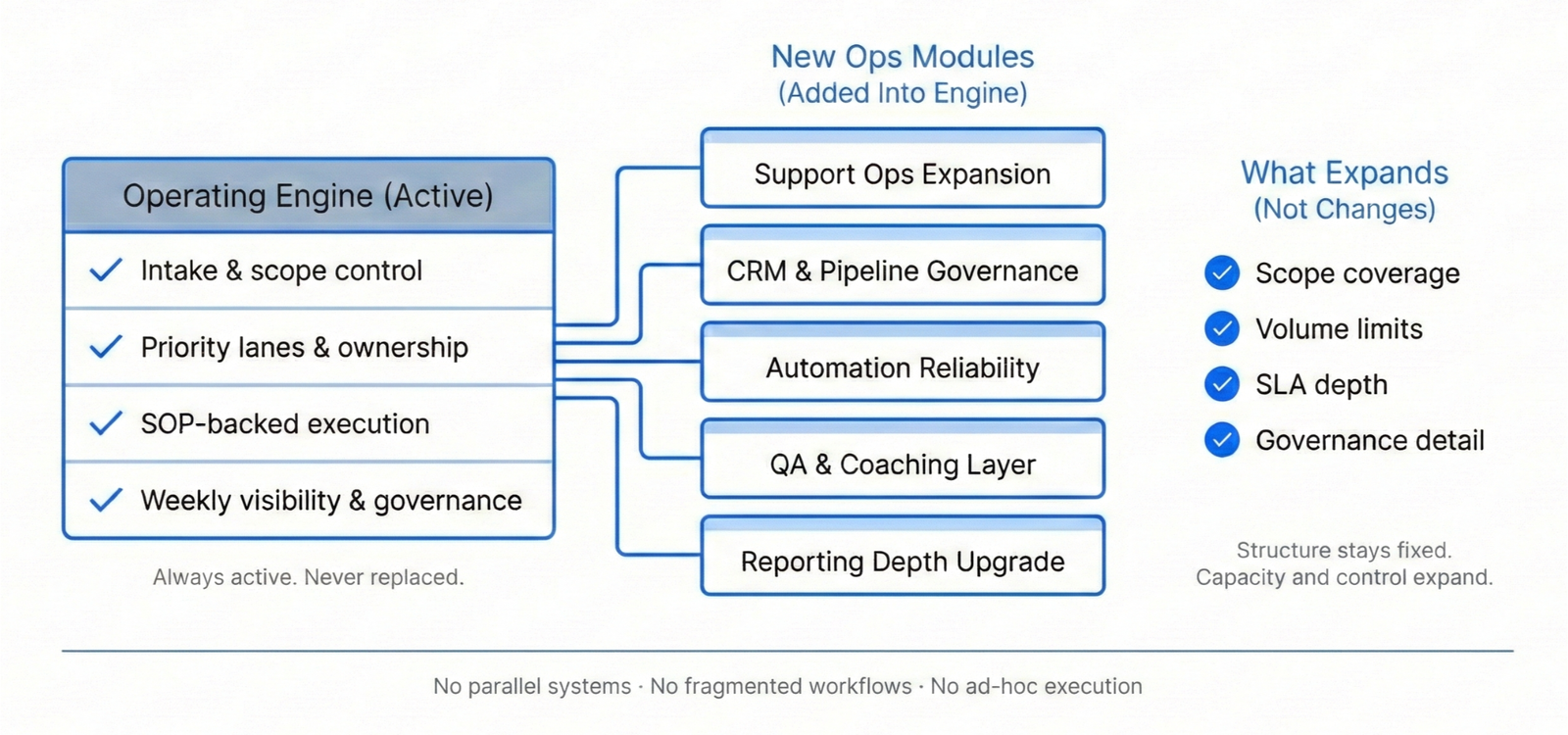
Where New Ops Modules Fit
Your selected modules (Support Ops, CRM & Pipeline, Reporting, and Enterprise modules) run inside this same operating engine.
The engine stays consistent—only the scope changes.
Service Targets
- Work is reviewed and progressed daily within agreed scope.
- Priority items are flagged early and routed through escalation paths.
- Weekly visibility is delivered on a fixed cadence with clear actions needed.
Exact targets and response windows are defined by plan and enterprise scope.
Security & Access Handling
Least-privilege access
Password managers supported (1Password / Bitwarden)
NDA available for enterprise engagements
Access removal and handover rules on exit
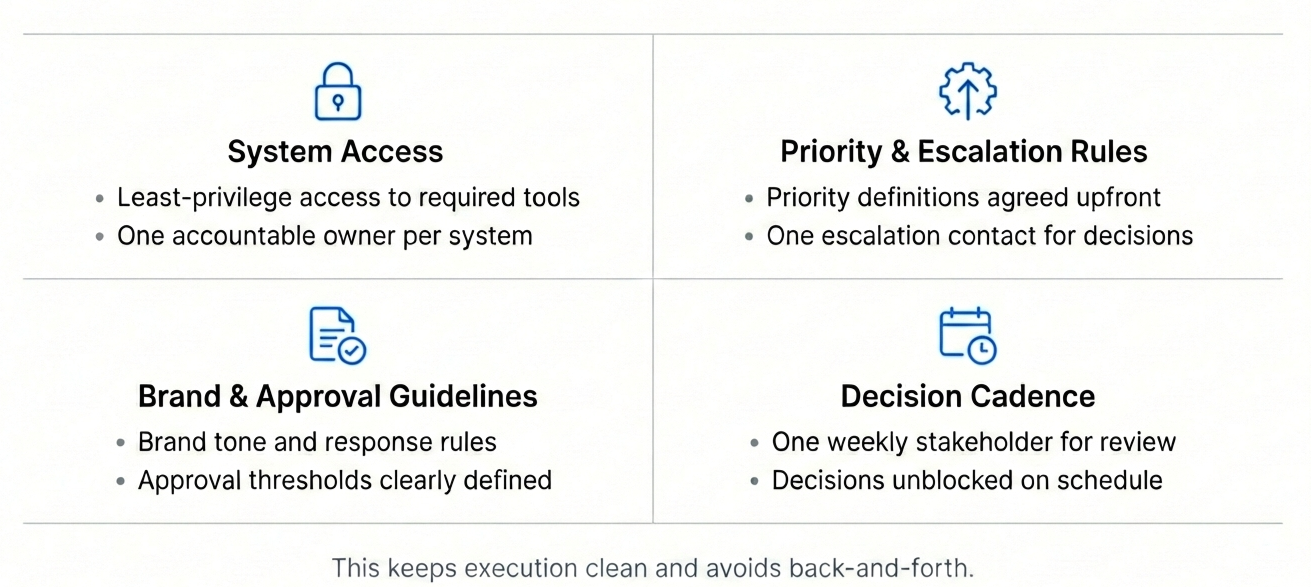
What We Need From You
- Tool access with least privilege + one owner per system
- Priority definitions and an escalation contact
- Brand tone and approval rules (where required)
- One weekly stakeholder for review and decisions
This keeps execution clean and avoids back-and-forth.
Handover & Continuity
Workflows are documented and changes are logged so operations remain stable during transitions, scale-ups, or team changes.
Enterprise Governance Cadence
Enterprise engagements include a governance rhythm—weekly exceptions review and a monthly operating review—to keep standards, reliability, and visibility tight at scale.
Ready to put your operations on rails?
Book a short Fit Check. We’ll map scope, tools, and volumes—then recommend the right Ops modules.
What is the Operations page on InboxPrestige?
The Operations page explains how InboxPrestige runs your work as a structured system—defined scope, clear ownership, and predictable execution with weekly visibility.
What does “Operations, defined by scope” mean?
It means every task has clear boundaries: what’s included, what’s out of scope, who owns it, and how approvals and escalations work.
What daily operations does InboxPrestige handle?
Daily execution includes triage, routing, follow-ups, updates, clean handoffs, and workflow execution based on documented SOPs.
Do you manage inbox, support, and CRM together?
Yes. Depending on selected modules, we handle Support Ops, CRM & Pipeline Ops, workflows, and reporting—inside one operating engine.
What is the “operating engine”?
A consistent system of rules, lanes, cadence, and reporting. The engine stays the same; only the scope (modules, volume, coverage) changes.
Do you work inside our existing tools?
Yes. We operate inside your current email, helpdesk, CRM, and internal tools. No forced migrations unless explicitly scoped.
What is included in weekly visibility reporting?
Completed work, open items, blockers, risks, escalations, approvals needed, and next-week priorities—one clear operational snapshot.
How do approvals and escalations work?
Approvals flow through defined decision queues. Urgent items follow priority lanes, and escalations are handled via clear rules—not ad-hoc pings.
Is data hygiene part of operations?
If included in scope, yes. We maintain field/tag consistency, routing rules, and basic monitoring to prevent workflow drift.
How is security and access handled?
We follow a least-privilege access model—only required access, controlled handoffs, and approved tools/password managers where applicable.
What is the onboarding process for operations?
Scope review → tools mapping → priority lanes → SOPs/templates setup → daily execution → weekly reporting cadence.
Is this the same as a virtual assistant service?
No. This is a system-led operations model with SOPs, ownership, controls, and reporting—not person-dependent task handling.
Can InboxPrestige support scale and high volume?
Yes. For higher volume, Enterprise Ops Pods provide dedicated teams, QA controls, and leadership-level visibility
What’s the next step after reviewing the Operations page?
Book a Scope Call to map your tools, volume, and modules and confirm the right operational setup